Network Cabling for Warehouses in Uganda
Professional network cabling for warehouses in Uganda. Industrial-grade cabling, warehouse WiFi, CCTV, and network design for logistics and storage facilities.

What to specify:
- Warehouses need industrial-grade cabling — standard office Cat6 won't survive dust, temperature swings, and 100m+ cable runs
- A fiber optic backbone is non-negotiable for warehouses over 2,000 sqm — copper loses signal beyond 100m
- Cutting corners on cabling means constant downtime during peak operations
Why Warehouses Are Different From Offices
If you've been thinking about your warehouse network the same way you'd set up an office, stop. Warehouses are a completely different animal. The challenges are physical, environmental, and scale-related — and they will destroy a poorly designed network in weeks.
Here's what makes warehouses special:
- Long distances. A 5,000 sqm warehouse means cable runs of 80–150m. Standard copper maxes out at 100m. You need fiber or intermediate distribution points.
- Metal shelving. Heavy-duty racking creates a Faraday cage effect. WiFi signals bounce, reflect, and get absorbed by metal. A signal that works perfectly in an open office dies between aisles of steel racks.
- Dust and debris. Warehouses generate dust from packaging, cardboard, and product movement. Connectors get dirty. Fans clog. Equipment overheats.
- Temperature. Kampala warehouses can hit 40°C+ during dry season. Unconditioned spaces cook equipment designed for 25°C. Heat degrades cable performance and kills battery-backed equipment.
- Forklifts and machinery. Heavy equipment causes vibrations, electromagnetic interference, and physical damage to cables routed at floor level.
The point is: warehouse networking requires different cables, different routing, different access points, and different protection than an office. Treat it like an office and you'll be re-cabling within a year.
Cable Choices for Warehouses
Data Cabling: Cat6a Over Cat6
For warehouse data drops — workstations, barcode scanners, label printers — Cat6a is the right choice over standard Cat6. Here's why:
| Specification | Cat6 | Cat6a |
|---|---|---|
| Bandwidth | 250 MHz | 500 MHz |
| Max speed | 10 Gbps at 55m | 10 Gbps at 100m |
| PoE++ support | Limited | Full |
| Shielding options | UTP | F/UTP, S/FTP |
Cat6a delivers double the bandwidth and full PoE support over standard Cat6. For warehouses running IP cameras, wireless access points, and IoT sensors off the same cable infrastructure, Cat6a eliminates bottlenecks.
Use shielded Cat6a (F/UTP or S/FTP) in warehouses. The extra foil shielding protects against electromagnetic interference from forklift motors, conveyor systems, and high-bay lighting.
Fiber Optic Backbone
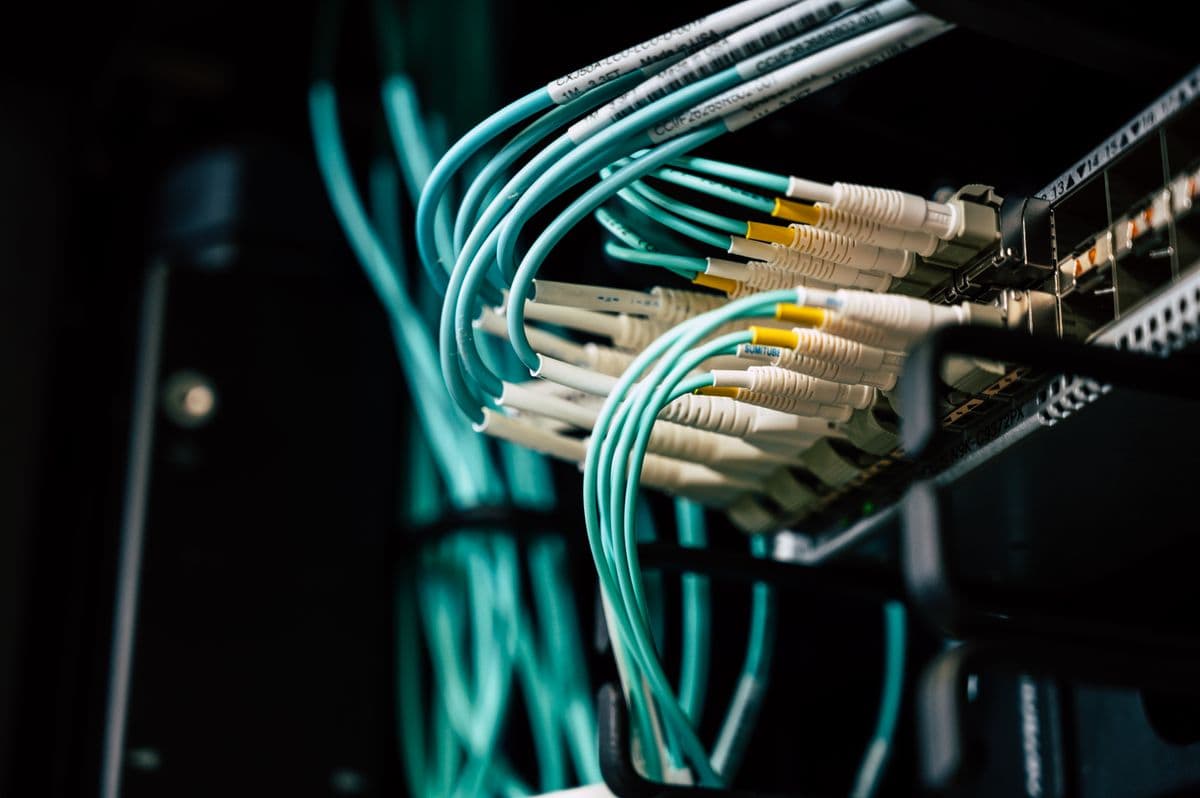
For runs longer than 80m — and in a warehouse, most backbone runs will be — fiber optic is mandatory. Single-mode fiber handles distances up to 10km with zero signal degradation. Multi-mode fiber works for runs up to 550m and costs less.
| Fiber Type | Max Distance | Typical Use |
|---|---|---|
| Multi-mode OM3 | 300m | Building backbone |
| Multi-mode OM4 | 400m | High-speed backbone |
| Single-mode OS2 | 10km | Campus/inter-building |
For most warehouses in Uganda, multi-mode OM3 is sufficient for backbone runs between distribution frames, server rooms, and remote IDF locations. Use single-mode if you're connecting multiple buildings on the same compound.
Outdoor-Rated Cable
Any cable running outside — between buildings, along exterior walls, or through loading dock areas — must be outdoor-rated (UV-resistant, moisture-blocked). Indoor cable jacket degrades in direct sunlight within months. Outdoor cable uses polyethylene jacketing rated for UV exposure and temperature extremes.
Critical rule: Outdoor cable must transition to indoor cable at the building entry point. You cannot run outdoor-rated cable inside a building — it lacks fire-resistant jacketing required by building codes.
WiFi in Warehouses
The Challenge: Metal and Concrete
Standard office WiFi access points don't work in warehouses. Metal shelving absorbs and reflects signals unpredictably. Concrete floors and walls block penetration. The result: dead spots everywhere, especially between rack aisles where workers actually need connectivity.
The Solution: Industrial APs with Directional Antennas
Warehouse WiFi requires industrial-grade access points rated for dust, temperature, and vibration:
| AP Type | Coverage Pattern | Best For |
|---|---|---|
| Omnidirectional indoor | 360° | Open staging areas |
| Directional panel | Narrow beam | Rack aisles |
| Outdoor rated | Wide coverage | Loading docks, yards |
Directional panel antennas are the key to warehouse WiFi. Mount them at the end of each aisle, pointing down the corridor between racks. This focuses the signal where workers are — scanning items, receiving shipments, picking orders — instead of wasting it on empty air above the racks.
Mesh vs Wired Backhaul
Use wired backhaul wherever possible. Mesh WiFi is convenient but introduces latency and reduces throughput with each hop. In a warehouse, where workers rely on real-time inventory scanning and label printing, that latency matters.
Reserve mesh for truly remote locations — outdoor loading areas, temporary staging zones — where running cable is impractical. For everything else, run Ethernet or fiber to each access point.
CCTV for Warehouses
Warehouse CCTV serves three purposes: security, inventory protection, and operations monitoring.
Coverage Zones
| Zone | Camera Type | Priority | Notes |
|---|---|---|---|
| Perimeter | Bullet, IR 50m+ | Critical | Night vision essential |
| Loading docks | Dome, wide-angle | High | Capture faces and plates |
| Inventory aisles | Dome or turret | Medium | Verify picking accuracy |
| Office areas | Dome | Standard | General security |
| Yard/parking | Bullet, IR 80m+ | High | Vehicle tracking |
Cabling for CCTV
IP cameras in warehouses need Cat6a PoE cabling for power and data. Plan for 15–20W per camera for standard models, 30W+ for IR and PTZ cameras. Your PoE switch must have enough total PoE budget to power all cameras simultaneously — not just the average load.
Use surge protection on every outdoor camera run. Lightning in Kampala sends surges through outdoor cable runs. A single strike can take out cameras, switches, and your NVR if there's no protection at the cable entry point.
Network Design by Warehouse Size
Small Warehouse (Under 1,000 sqm)
- 1 server/network closet with 6U–12U rack
- 4–8 Cat6a data drops
- 2–3 industrial WiFi APs
- 4–6 CCTV cameras
- Single ISP connection with 4G backup
Medium Warehouse (1,000–5,000 sqm)
- 1 main server room + 1 remote IDF
- Fiber backbone between MDF and IDF
- 16–32 Cat6a data drops
- 6–12 industrial WiFi APs (directional antennas for rack aisles)
- 10–20 CCTV cameras
- Dual ISP connections for redundancy
Large Warehouse (5,000–15,000 sqm)
- 1 main server room + 2–3 remote IDFs
- Fiber backbone throughout
- 40–80 Cat6a data drops
- 15–30 industrial WiFi APs
- 25–50 CCTV cameras
- Dedicated network management system
- Dual ISP with load balancing
Cable Routing in Industrial Environments
Cable Trays and Conduit
Cable routing in warehouses is a physical challenge. You have three main options:
Overhead cable trays — the best option for most warehouses. Metal or fiberglass trays suspended from the ceiling keep cables away from forklifts, foot traffic, and moisture. Cables drop down to workstations and equipment via conduit or J-hooks.
Surface-mount conduit — for walls and columns. PVC or metal conduit protects cables from physical damage in high-traffic areas. Use metal conduit near heavy machinery.
Underground/under-floor — for connections between buildings or across loading docks. Direct-burial rated fiber or conduit-encased cable. More expensive but eliminates overhead hazards.
Routing Rules
- Minimum 150mm separation from power cables in trays
- Fire-rated conduit at all wall and floor penetrations
- Cable labels at both ends — in a warehouse, tracing a cable without labels is a nightmare
- Drip loops at any point where cable transitions from horizontal to vertical
- Strain relief at all termination points
Cost Estimates
Contact a qualified provider for a customized quote based on your warehouse size, number of drops, and specific requirements.
Frequently Asked Questions
How long does warehouse network cabling installation take? ▼
A small warehouse (under 1,000 sqm) takes 3–5 days for a complete cabling installation. Medium warehouses (1,000–5,000 sqm) typically take 1–2 weeks. Large warehouses (5,000–15,000 sqm) can take 3–6 weeks depending on the number of drops, access points, and cameras. Factor in an additional 2–3 days for testing, labeling, and documentation. Installation during non-operating hours or weekends can compress timelines but costs more.
Can I use standard office WiFi access points in my warehouse? ▼
No. Standard office APs are designed for open spaces with minimal interference. Warehouse metal shelving absorbs and reflects WiFi signals unpredictably, creating dead spots between rack aisles. Industrial APs with directional antennas focus the signal down aisles where workers actually need connectivity. The extra cost of industrial APs is justified by reliable coverage — a dead spot in a picking aisle means a worker can't scan items, which stops the entire fulfillment process.
Do I really need fiber optic cable in my warehouse? ▼
Yes, if your warehouse is over 2,000 sqm. Copper cable maxes out at 100m, and warehouse backbone runs between the main server room and remote distribution points typically exceed this. Fiber is also immune to electromagnetic interference from forklifts, conveyor motors, and high-bay lighting — all of which degrade copper signal quality. The price difference between copper and fiber backbone is modest compared to the cost of re-cabling a warehouse that was wired with copper that can't handle the distances.
How often should warehouse cabling be inspected? ▼
Visual inspection quarterly. Check for damaged cables, loose connections, dust buildup on connectors, and signs of heat damage or moisture. Full testing annually with a cable certifier to verify performance hasn't degraded. In dusty warehouse environments, clean connectors every 6 months — dirty fiber connectors cause the majority of intermittent network issues in industrial settings.
What's the biggest mistake warehouses make with network cabling? ▼
Running everything over WiFi instead of cabling. It seems cheaper to skip the cabling and just use wireless. But warehouses need reliable, low-latency connectivity for barcode scanners, label printers, and inventory systems. WiFi in a warehouse environment is inherently unreliable between metal racks. The second biggest mistake: routing cables at floor level where forklifts and foot traffic damage them. Always route overhead in cable trays and drop down to equipment via conduit.
Setting up network infrastructure for your warehouse? Request a Free Site Survey and we'll assess your facility, recommend the right cable types and routing, and provide a detailed quote for your specific warehouse layout.