What Is Structured Cabling? Complete Technical Guide
Learn what structured cabling is, how it works, and why your business needs it. Complete guide to structured cabling systems in Uganda.

What to specify:
- Structured cabling is a standardized, hierarchical network infrastructure that organizes cables, connectors, and hardware into a reliable, scalable system
- A properly installed system lasts 15–25 years and reduces mean time to repair compared to ad-hoc wiring
- Compliance with TIA/EIA-568 and NITA-U standards ensures interoperability, warranty coverage, and future technology support
- Proper planning with 20–30% spare capacity prevents costly re-cabling and ensures infrastructure scales with business growth
What Is Structured Cabling?
Structured cabling is the foundation of every modern business network. It is a standardized approach to network infrastructure that organizes cables, connectors, and hardware into a reliable, scalable system. For businesses in Kampala and across Uganda, understanding structured cabling is essential for making smart technology investments.
Unlike point-to-point cabling where each device has its own dedicated cable run, structured cabling uses a hierarchical star topology. All connections radiate outward from a central point—much like branches of a tree—providing redundancy, scalability, and easy troubleshooting. Every component, from the smallest connector to the largest patch panel, works together as part of a unified system following industry standards such as TIA/EIA-568 and ISO/IEC 11801.
Without a properly organized cabling system, businesses face frustrating downtime, tangled wires, and expensive repairs. A well-designed structured cabling solution eliminates these problems by creating a clean, maintainable foundation for all communications.
The Six Subsystems of Structured Cabling
Structured cabling is organized into six interconnected subsystems that work together to create a seamless network environment:
| Subsystem | Location | Primary Function |
|---|---|---|
| Entrance Facility | Building entry point | Service provider demarcation |
| Equipment Room | Centralized secure room | Houses core network equipment |
| Backbone Cabling | Vertical risers, inter-floor | Connects subsystems across floors |
| Telecommunications Room | Each floor/zone | Local distribution hub |
| Horizontal Cabling | Ceilings, walls, floors | Connects TR to workstations |
| Work Area | Desk locations | User device connectivity |
1. Entrance Facilities
The entrance facility is where the external network connects to your building:
- Demarcation point separating service provider and building owner responsibilities
- Transition from outdoor-rated to indoor-rated cables—outdoor cable withstands weather and UV exposure, while indoor cable is designed for fire safety
- Grounding protection against electrical surges—critical for UMEME power environments
- Network interface devices connecting to ISP equipment
The entrance facility should be easily accessible for maintenance while remaining secure from unauthorized access.
2. Equipment Rooms
Equipment rooms are centralized spaces housing shared network infrastructure:
- Network switches and routers directing traffic throughout the building
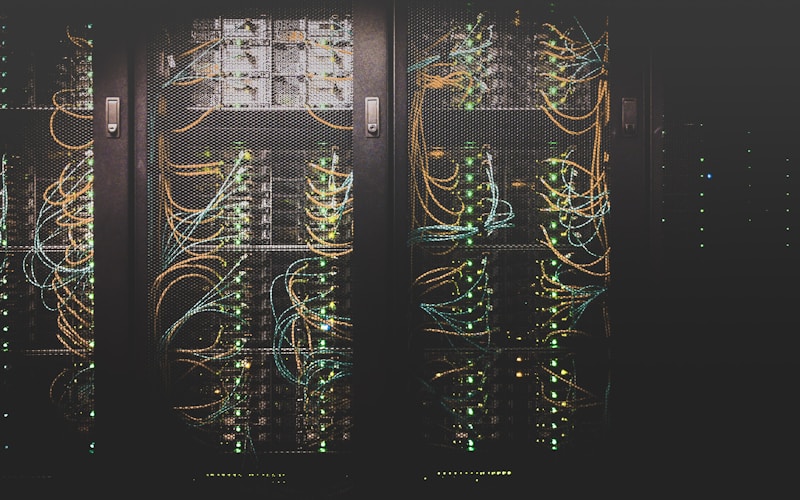
- Server racks with critical computing infrastructure
- UPS systems providing backup power during UMEME outages
- Patch panels organizing cable connections
- Cable management systems maintaining accessibility
A properly designed equipment room requires climate control, physical security, and proper ventilation—particularly important in Kampala's heat, where ambient temperatures exceeding 30°C can degrade equipment performance. It is the nerve center of your entire network infrastructure.
3. Backbone Cabling
Backbone cabling consists of high-capacity links connecting entrance facilities to equipment rooms and linking floors together:
- Fiber optic cables for maximum speed and distance between floors
- Cat6a or Cat6 for shorter runs within the same floor
- Multiple pathways providing redundancy if one cable fails
The backbone must be designed to handle current traffic loads while accommodating future growth. Undersizing the backbone creates bottlenecks that limit the entire network's performance.
4. Telecommunications Rooms
Telecommunications rooms are junction points where backbone and horizontal cabling meet:
- Typically located on each floor or zone
- House patch panels and switches distributing connectivity
- Environmental monitoring equipment tracking temperature and humidity
- Serve as local distribution points for easy moves, adds, and changes
5. Horizontal Cabling
Horizontal cabling runs from telecommunications rooms to individual workstations—the most visible part of the system:
- Cable runs through ceilings, walls, and floors to reach each outlet
- Cable trays and conduits protecting and organizing cables
- Wall outlets and faceplates providing connection points
- Maximum channel length: 100 meters (including patch cords at both ends) to maintain performance standards
6. Work Area Components
Work area components include everything at each workstation:
- RJ45 network outlets providing physical connection points
- Patch cords connecting outlets to devices
- Adapters or converters for specialized equipment

Core Components
Cables
Cables are the physical pathways carrying data signals throughout your building:
Unshielded Twisted Pair (UTP) — Four pairs of copper wires twisted together to reduce electromagnetic interference. The most common cables in office environments.
Fiber Optic — Light signals instead of electrical signals, providing higher speeds and longer distances.
Patch Panels
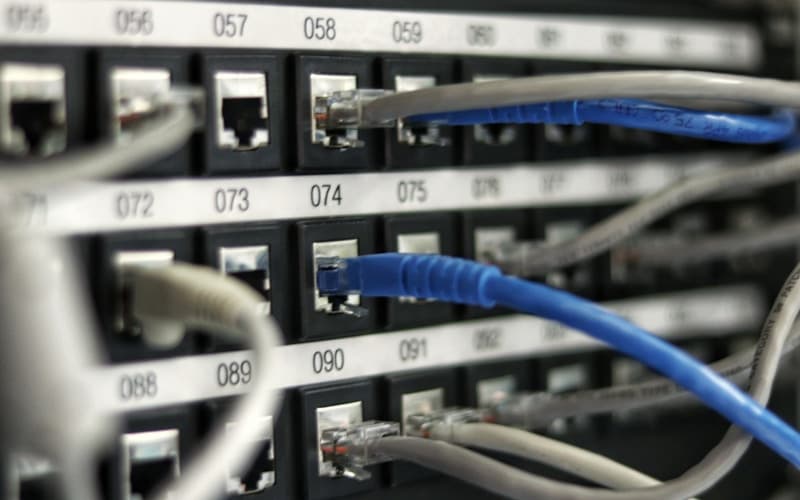
Patch panels serve as the organizational hub of your structured cabling system. Mounted in equipment racks, they provide a central point where all horizontal cables terminate. Each port corresponds to a specific wall outlet, making it simple to identify, test, and reconfigure connections without tracing individual cables through walls and ceilings.
Configurations include 24-port models (standard for small to medium installations), 44-port models (high-density applications), and keystone jack panels (flexibility for mixed cable types).
Network Switches
Network switches connect devices on your local area network and direct data to its intended destination. In a structured cabling system, switches connect to patch panels using short patch cables, creating a clean and organized equipment rack.
Modern switches support Power over Ethernet (PoE), delivering both data and electrical power through the same cable—eliminating separate power adapters for IP cameras, VoIP phones, wireless access points, and biometric access control readers.
Server Racks and Cabinets
Server racks provide secure, organized housing for network equipment. Standard 19-inch racks accommodate patch panels, switches, servers, and other equipment in a vertical stack.
| Rack Type | Best For | Features |
|---|---|---|
| Open frame | Climate-controlled server rooms | Easy access, ventilation |
| Enclosed cabinet | Secure environments | Locks, dust protection, fans |
| Wall-mount | Small offices, telecom closets | Space-saving design |
Cable Management
Cable management accessories keep installations neat and maintainable:
- Cable trays: Horizontal support for cables along ceilings or walls
- Vertical cable managers: Organization between equipment alongside racks
- Cable ties and Velcro straps: Secure bundles without crushing
- Labeling systems: Identify every cable and connection point
Wall Outlets and Faceplates
Wall outlets provide physical connection points at each workstation:
- RJ45 jacks connecting to horizontal cables running back to the telecommunications room
- Single-gang and double-gang faceplate configurations
- Commercial-grade components ensuring reliable connections meeting Cat6/Cat6a performance specifications
How Structured Cabling Works
Understanding data flow through a structured cabling system:
- Device to outlet: Computer sends data through a patch cord to the wall outlet
- Outlet to telecommunications room: Data travels through horizontal cabling to the floor's TR
- TR to switch: Cable terminates at a patch panel connecting to a network switch
- Switch to backbone: Switch routes data to backbone cabling carrying it to the main equipment room
- Equipment room to internet: Data passes through routers and firewalls before exiting the building
This flow is reversed for incoming data, creating a seamless two-way communication path supporting all business applications.
Cable Routing Standards
Professional cable routing follows specific pathways to ensure safety, performance, and aesthetics.
Vertical Pathways (Backbone)
- Cable risers: Dedicated shafts between floors housing backbone cables
- Cable trays: Mounted on walls or ceilings supporting and organizing cables
- Conduits: Protected pathways for critical cables requiring additional security
Horizontal Pathways
- Ceiling spaces: Above drop ceilings for easy access and future modifications
- Under raised floors: In data centers for optimal cable management
- Wall conduits: For exposed areas or outdoor runs requiring weather protection
- Floor ducts: In open office layouts where ceiling access is limited
In Kampala's commercial buildings, concrete construction and limited ceiling void space present routing challenges. Professional installers use J-hooks, basket trays, and surface-mounted conduit to maintain proper cable support without compromising structural integrity.

Common Cable Types
Understanding cable types helps you make informed decisions:
| Cable Type | Max Speed | Max Distance | Bandwidth | Best Use |
|---|---|---|---|---|
| Cat5e | 1 Gbps | 100m | 100 MHz | Basic office networks |
| Cat6 | 10 Gbps | 55m | 250 MHz | Most commercial installations |
| Cat6a | 10 Gbps | 100m | 500 MHz | High-density, data centers |
| Multi-mode fiber | 10 Gbps | 550m | — | Short backbone connections |
| Single-mode fiber | 100 Gbps | 40km+ | — | Long-distance connections |
For most businesses in Kampala, Cat6 provides the best balance of performance and cost for new installations. Cat6a is recommended for high-density environments and bandwidth-intensive applications.
Why Your Business Needs Structured Cabling
Reliability and Performance
A well-designed structured cabling system minimizes downtime risk. Unlike ad-hoc cabling, structured cabling follows industry standards ensuring consistent performance across your entire network. Every cable is tested and certified, eliminating the guesswork of informal installations. Businesses experience fewer unexpected outages and more predictable network behavior.
Scalability
As your business grows, your network needs to grow with it. Structured cabling makes it easy to add new workstations, upgrade equipment, or expand to new floors without ripping out existing infrastructure. Adding a new workstation requires only running one cable from the nearest outlet to the telecommunications room—no other changes to the network are needed.
Reduced Downtime
When issues occur, structured cabling makes troubleshooting fast and efficient:
- Technicians quickly trace cables using labeled connections
- Problems are identified without extensive investigation
- Less downtime and lower repair costs
Cost Savings
While the initial investment may be higher than informal cabling, structured cabling reduces long-term costs:
- Fewer troubleshooting calls and emergency service visits
- Less downtime impacting productivity and revenue
- Easier maintenance with labeled, organized cables
- 15–25 year lifespan making it a sound long-term investment
- Higher resale or rental value for the building
Safety Compliance
Professional structured cabling installations comply with local and international safety standards, reducing fire hazards and electrical issues. Compliance with TIA/EIA-568 and NITA-U standards protects your business from potential liability.
Future-Proofing
Technology evolves rapidly, but structured cabling provides a foundation that adapts. A properly designed system supports current needs while accommodating future technologies like IoT and smart building systems.
Planning Your Office Cabling
Assess Current Needs
Before starting a cabling project, answer:
- How many workstations need network connections?
- What devices will connect to the network?
- What is the current internet speed requirement?
- Are there VoIP phones or plans to add them?
- What cloud services do employees use daily?
Plan for Future Growth
Think about where your business will be in three to five years:
- How many employees are expected to be added?
- Will the business expand to additional floors or locations?
- What new technologies might be adopted?
- How will bandwidth requirements change?
Choose the Right Components
Select components matching current needs and future plans:
- Basic offices: Cat6 cables with 24-port patch panels
- High-performance environments: Cat6a cables with managed switches
- Growing businesses: Plan for two to three times current capacity
- Data centers: Fiber optic backbone with Cat6a horizontal cabling
Common Mistakes to Avoid
- Skipping the design phase: Always plan before installing to ensure optimal performance and scalability
- Using cheap cable: Low-quality cable causes performance issues and requires early replacement
- Ignoring future needs: Plan for growth, not just current requirements, to avoid costly upgrades
- No documentation: Keep records of all installations for future reference and troubleshooting
- DIY installation: Professional installation saves money long-term through proper implementation and warranty coverage
Testing and Certification Requirements
Every structured cabling installation must include comprehensive testing to verify performance:
- Continuity testing: Verifies all pins are connected properly
- Length testing: Ensures cables meet the 100-meter maximum channel specification
- Insertion loss testing: Measures signal strength attenuation (dB loss)
- NEXT testing: Checks near-end crosstalk between pairs
- Return loss testing: Measures signal reflection that causes errors
- PS-NEXT: Power sum near-end crosstalk for multi-pair cables
Professional installers use Fluke DSX-8000 cable analyzers—the industry standard for Cat6a and higher certification. These calibrated instruments produce certified test reports documenting compliance with TIA/EIA-568 standards.
| Test Parameter | Cat6 Requirement | Cat6a Requirement |
|---|---|---|
| Bandwidth | 250 MHz | 500 MHz |
| Insertion Loss (100m) | ≤ 19.93 dB | ≤ 17.11 dB |
| NEXT | ≥ 54.3 dB | ≥ 65.0 dB |
| Return Loss | ≥ 8.0 dB | ≥ 8.0 dB |
| ACR-F | ≥ 33.2 dB | ≥ 45.0 dB |
Without certified documentation, manufacturer warranties may be void.
Structured Cabling Standards in Uganda
Businesses in Uganda should ensure installations comply with:
- TIA/EIA-568: The most widely recognized cabling standard defining requirements for commercial building cabling
- ISO/IEC 11801: International standard for generic cabling systems, applicable worldwide
- NITA-U guidelines: National requirements for telecommunications infrastructure in Uganda
Compliance ensures your cabling system meets performance requirements and integrates with equipment from different manufacturers.
Uganda-Specific Considerations
Power Quality Challenges
Kampala's power grid presents unique challenges for network infrastructure. UMEME voltage fluctuations and surges can damage unprotected equipment. A properly designed structured cabling system integrates:
- UPS systems with automatic voltage regulation
- Surge protection at the entrance facility
- Equipment room grounding per IEEE standards
Environmental Factors
Kampala's heat, humidity, and dust affect cable and equipment performance:
- Use cables rated for the operating temperature range
- Ensure equipment rooms have adequate cooling
- Select components with appropriate IP ratings for dusty environments
- Plan for seasonal humidity variations
Local Availability
Key components are available through Kampala's IT infrastructure suppliers:
- Cat6 and Cat6a cables from brands like Belden, Commscope, and D-Link
- Patch panels, faceplates, and cable management accessories
- Fluke testing equipment available through authorized distributors
Maintenance and Longevity
A well-maintained structured cabling system lasts 15 to 25 years. Follow these practices:
- Keep detailed documentation including as-built drawings and test reports
- Use consistent labeling across the entire system per ANSI/TIA-606-B standards
- Schedule annual Fluke DSX-8000 certification testing to catch degradation early
- Plan for future capacity needs during initial design
- Use commercial-grade components from reputable manufacturers
- Address issues promptly to prevent cascading problems
Applications of Structured Cabling
Structured cabling supports a wide range of business applications:
- VoIP telephone systems: High-quality voice communications over network infrastructure
- Video conferencing: Reliable, low-latency connections for crystal-clear video calls
- Cloud computing: Fast, stable connections to cloud services and applications
- IP surveillance: PoE-powered cameras connected through structured cabling
- Building automation: Control systems for lighting, HVAC, and access control
- Guest WiFi: Enterprise access points connected to wired backbone for reliable coverage
Choosing a Structured Cabling Partner
When selecting a cabling provider, look for:
- Certified technicians: with industry credentials demonstrating professional competence
- Manufacturer certifications: Belden, Commscope, or equivalent ensuring warranty coverage
- Commercial project experience: References and case studies from similar installations
- Testing equipment: Fluke DSX-8000 producing certified test reports
- Warranty: Minimum 20-year warranty on materials and workmanship
- Ongoing support: Maintenance contracts for long-term peace of mind
The right cabling partner will work with you to understand your specific needs and design a solution that supports your business goals.
Request a Free Site Survey
Backspace Business Solutions designs and installs structured cabling systems for businesses throughout Uganda. Our certified technicians use Fluke DSX-8000 test equipment and provide full TIA/EIA-568 compliant installations with manufacturer-backed warranties.
Request Free Site Survey to have our engineers assess your building, recommend the optimal cable architecture, and provide a detailed proposal tailored to your specific requirements.
We specialize in Structured Cabling design, installation, and certification for offices, warehouses, and commercial buildings throughout Kampala. Our CCTV & Biometric integration services leverage your structured cabling infrastructure for IP surveillance and access control systems.
Contact us today to discuss your network infrastructure requirements.
Frequently Asked Questions
What is structured cabling and why is it important for businesses?▼
How long does a structured cabling installation take?▼
What cable categories should I use for my office network?▼
How often should structured cabling be inspected?▼
Can structured cabling support both data and voice applications?▼
Continue reading
More articles in Structured Cabling →