Biometric Attendance Systems Uganda Setup Guide
How to set up a biometric attendance system in Uganda. Fingerprint, facial recognition, and RFID options for businesses in Kampala and beyond.

What to specify:
- Biometric attendance eliminates buddy punching and time fraud, saving Ugandan businesses 5-15% on payroll costs.
- Automated payroll integration reduces HR administrative time by up to 40% per pay cycle.
Manual attendance tracking wastes time, invites fraud, and creates administrative headaches. Biometric attendance systems eliminate buddy punching, streamline payroll processing, and provide accurate attendance records. For businesses in Uganda, these systems are becoming essential tools for workforce management.
Why Biometric Attendance in Uganda?
Eliminating Time Fraud
Traditional attendance methods like sign-in sheets and card swipes are easily manipulated. Employees can clock in for absent colleagues, creating inaccurate records that inflate payroll costs. Biometric systems verify identity through unique physical characteristics that cannot be shared or transferred.
In Uganda's competitive business environment, even small amounts of time fraud add up significantly over months and years.
Streamlining Payroll
Biometric attendance data integrates directly with payroll software, eliminating manual data entry and reducing errors. Automated calculations for overtime, leave, and shift differentials save HR departments hours of work each pay period.
Compliance and Documentation
Uganda's labor laws require employers to maintain accurate attendance records. Biometric systems provide timestamped, tamper-proof records that satisfy legal requirements and support dispute resolution.
Biometric Technology Options
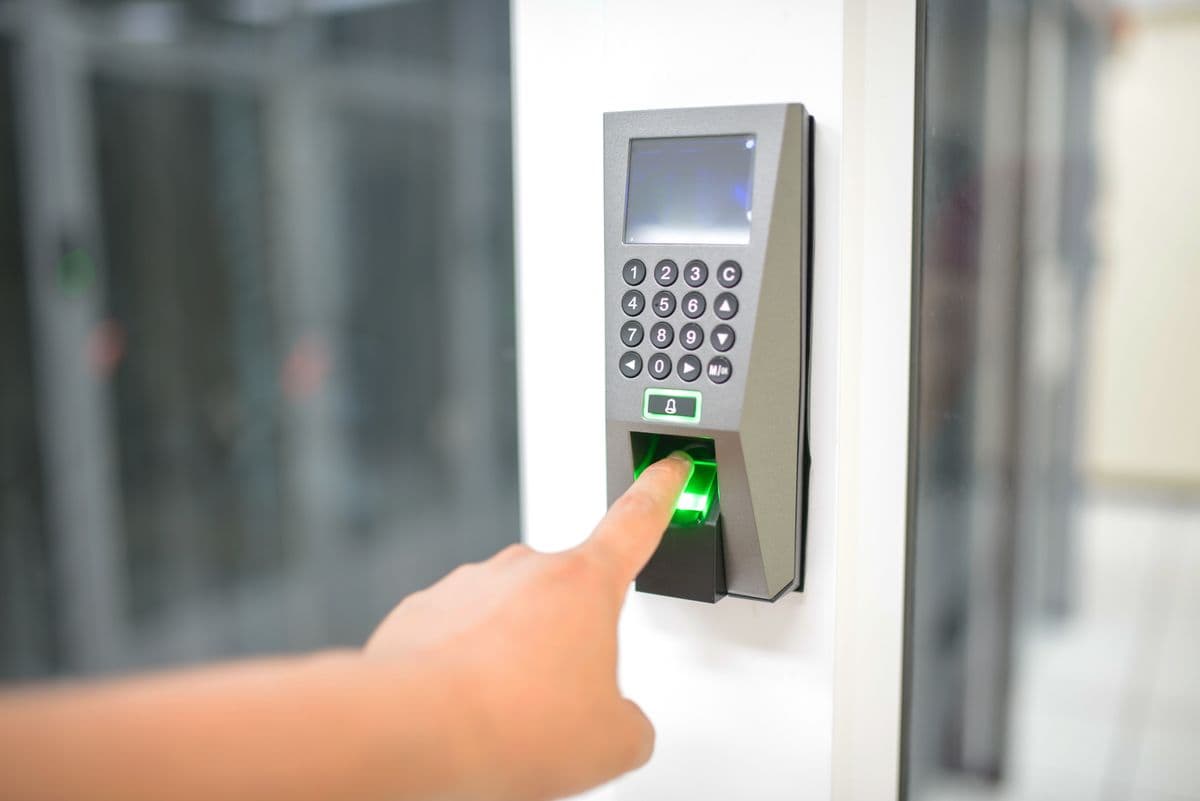
Fingerprint Recognition
Fingerprint recognition is the most widely deployed biometric technology in Uganda:
- Hikvision DS-K1T502DBFW-C: FAR <0.001%, FRR <1%, 1-2 second authentication
- Dahua ASI32: Capacitive sensor, 3000-fingerprint capacity, IP65 rated
- Best for: Standard office environments with moderate dust levels
Facial Recognition
Facial recognition systems identify employees without physical contact:
- Dahua ASI32: 3D structured light, anti-spoofing technology, <0.5 second verification
- Hikvision DS-K1T607MFW: 7-inch touch screen, multi-distance recognition
- Best for: High-traffic areas, reception, hygiene-sensitive environments
RFID Card with Biometric Verification
Some systems combine RFID card presentation with biometric verification for two-factor authentication. The employee presents a card and then provides a fingerprint or facial scan.
This dual verification provides the highest level of identity assurance and is suitable for high-security environments.
Palm Vein Recognition
Palm vein recognition uses infrared cameras to read vein patterns beneath the skin. This technology is contactless, highly accurate, and works in complete darkness.
- Best for: Healthcare facilities, clean rooms, environments where hygiene is paramount
Setting Up a Biometric Attendance System
Step 1: Needs Assessment
Identify the number of employees, number of entry points, and specific requirements. Consider shift patterns, overtime rules, and integration needs with existing payroll or HR software.
Step 2: Technology Selection
Choose biometric technology that matches your environment:
- Fingerprint: Best for most offices
- Facial recognition: Ideal for high-traffic areas
- Consider: Dust, humidity, and lighting at each location
Step 3: System Design
Plan device locations for optimal coverage and user convenience. Design the communication network to connect all devices to the central management server. Plan backup power for each device.
Step 4: Installation
Install biometric devices at designated locations. Run network and power cables. Mount devices at appropriate heights — fingerprint readers at 1.2m, facial recognition cameras at 1.5-2.0m. Connect devices to the network.
Step 5: Enrollment
Enroll all employees by capturing biometric templates. Each employee provides two or three samples to create a reliable template. Enrollment typically takes 30 to 60 seconds per employee.
Step 6: Configuration
Configure attendance rules including work schedules, grace periods, overtime thresholds, and shift definitions. Set up department and location groupings. Configure reports and alerts.
Step 7: Training and Go-Live
Train employees on system usage. Train administrators on management, reporting, and troubleshooting. Monitor closely during the first week.
Integration with Existing Systems
Payroll Integration
Biometric attendance data feeds directly into payroll systems, eliminating manual data entry. Integration can be automated through APIs, database connections, or file imports depending on your payroll software.
HR Software Integration
Modern biometric systems integrate with HR platforms to synchronize employee records, department assignments, and organizational structures.
Access Control Integration
Many biometric attendance devices also support access control functions. The same device that records attendance can also control door locks, providing dual functionality from a single device.
Maintaining Your System
Regular Cleaning
Fingerprint readers require weekly cleaning with a soft cloth. Dust and oil buildup increases false rejection rates. Facial recognition cameras need periodic lens cleaning.
Template Updates
Employee biometric templates should be updated annually for fingerprint users and every two years for facial recognition users to maintain high accuracy.
Firmware Updates
Apply firmware updates as they become available. Updates include accuracy improvements, new features, and security patches. Schedule during non-business hours.
Backup and Redundancy
Regular backups of the attendance database protect against data loss. Cloud-based backup provides additional protection. Ensure backup power keeps devices operational during outages.
Choosing a Provider in Uganda
Select a provider with:
- Experience installing biometric systems in Uganda's environment
- Understanding of local power challenges and network conditions
- Ongoing support and maintenance agreements
- Rapid response for system issues
- Multiple technology options to match your specific requirements
Backspace Business Solutions provides professional biometric system installation for businesses across Uganda. Our certified technicians ensure reliable performance from day one.
Request a Free Site Survey to receive a customized biometric attendance proposal for your organization.
Frequently Asked Questions
What biometric technologies are available for access control?▼
How accurate are biometric access control systems?▼
Can biometric access control integrate with existing security systems?▼
What happens if a biometric reader fails?▼
Are biometric systems compliant with privacy regulations?▼
Continue reading
More articles in Biometric Access Control →