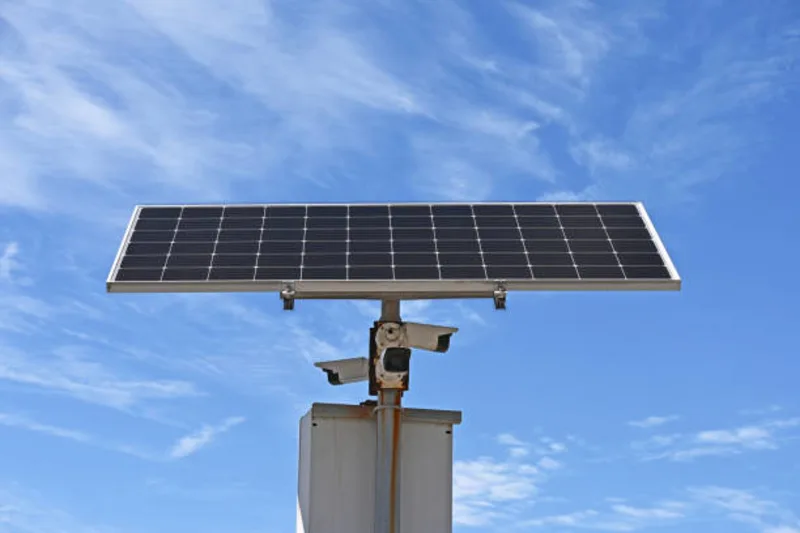
Best CCTV Cameras for Small Business in Kampala
Best CCTV cameras for shops, offices and small businesses in Kampala: camera placement, storage planning, IP vs analog costs, and Uganda installation tips.
CCTV System Architecture
IP cameras connect via PoE to a dedicated CCTV VLAN. NVR records to local storage with optional cloud backup. Monitoring via desktop or mobile app.
What matters in practice
- A properly designed small business CCTV system uses 4-8 IP cameras with a 4-8 channel NVR, delivering 30 days of footage at 4MP resolution.
- Camera placement matters more than camera count — strategic positioning at entry points, cash areas, and inventory zones captures usable evidence while poor placement creates expensive blind spots.
- Uganda's power surges and dust require PoE cameras with surge-protected switches and IP66-rated outdoor units — specifications that separate reliable systems from those failing within months.
CCTV is one of the most important security investments for a small business. However, many businesses make one costly mistake: they buy cameras before designing the system.
A proper CCTV setup is not about the number of cameras. It is about visibility, reliability, storage, and usability.
Start With the Risk Areas
Before installing cameras, identify the places where incidents are most likely to happen. For most small businesses in Kampala, these include:
- Main entrance — captures every person entering the premises
- Reception or customer service desk — documents visitor interactions
- Cashier point — monitors transactions and cash handling
- Store or inventory room — prevents stock theft
- Parking area — deters vehicle break-ins and theft
- Corridors — tracks movement between areas
- Back entrance — covers secondary access points
- Staff-only areas — prevents internal theft
- Delivery area — monitors incoming and outgoing shipments
These are the areas that need priority. A professional CCTV & Biometric installation ensures optimal camera placement for maximum coverage.
Camera Placement Rules That Actually Work
A camera should not just "show the room." It should capture useful evidence. This distinction separates effective security from wasted investment.
Placement Best Practices
- Entrance cameras must be positioned at 1.5m height to capture faces at eye level — not mounted at ceiling level where they capture only the tops of heads
- Cashier cameras should show transactions and faces simultaneously — position across the counter, not behind the customer
- Store cameras should cover stock movement — wide-angle lenses capturing entry/exit points and shelf aisles
- Parking cameras need 50m+ IR range for night coverage — Hikvision DS-2CD2T55G1-I5 or Dahua IPC-HFW3849T1-IL-A provide reliable performance
Common Placement Mistakes
- Mounting cameras too high (captures foreheads, not faces)
- Pointing cameras directly at light sources (silhouettes, no detail)
- Ignoring cable routing (exposed cables invite tampering)
- Not accounting for reflective surfaces (glass doors cause IR reflection)
Indoor vs Outdoor Cameras
Indoor Cameras
Indoor cameras are used inside offices, shops, restaurants, and reception areas. They typically have:
- IP44 or IP52 rating — sufficient for controlled environments
- 2-4MP resolution — adequate for identifying individuals at 5-10m range
- Wide-angle lenses (100°-120°) — maximum area coverage
Recommended: Hikvision DS-2CD1343G2-IU (4MP, turret, IR 30m) or Dahua IPC-HDW2439T-A-IL (4MP, starlight, IR 30m).
Outdoor Cameras

Outdoor cameras must be weather-resistant and rated for Kampala's conditions:
- IP66 or IP67 rating — dust-tight and water-resistant
- Operating temperature: -30°C to 60°C
- IR illumination: 50-80m range for parking and perimeter coverage
- WDR (Wide Dynamic Range): 120dB+ to handle Kampala's intense sunlight and shadow transitions
Recommended: Hikvision DS-2CD2T55G1-I5 (5MP, bullet, IR 50m) or Dahua IPC-HFW3849T1-IL-A (8MP, full-color, IR 50m).
IP CCTV vs Analog CCTV
| Feature | Analog CCTV | IP CCTV |
|---|---|---|
| Resolution | 720P to 1080P max | 2MP to 8MP+ |
| Cable type | Coaxial (RG59) | Cat5e/Cat6 (PoE) |
| Max cable run | 300m (with amp) | 100m (PoE) |
| Power | Separate power supply | PoE (single cable) |
| Remote access | Limited | Full mobile/cloud |
| Analytics | None | Motion, face, line-crossing |
| Scalability | Fixed channels | Network-based, easily expandable |
| Cost per camera | Lower | Higher |
| Best for | Very basic, budget-limited | Growing businesses, future-proof |
For most small businesses in Kampala, IP cameras are the stronger long-term choice. The higher upfront cost is offset by better image quality, simpler PoE installation (one cable for power and data), superior remote access, and easier scalability as the business grows.
Storage Planning — Calculate, Don't Guess
A good CCTV system must store footage for a reasonable period. Storage requirements depend on:
- Number of cameras
- Camera resolution (2MP, 4MP, 8MP)
- Recording quality (main stream vs sub stream)
- Recording mode (continuous vs motion-triggered)
- Number of days retention (30 days minimum recommended)
Storage Calculator for Small Business
Use our free interactive CCTV Storage & NVR Sizing Calculator to calculate hard drive capacity, RAID bays, and wireless camera MicroSD retention based on your exact camera count and brand profile (Hikvision, Dahua, Tiandy).
| Cameras | Resolution | Recording Mode | 30-Day Storage |
|---|---|---|---|
| 4 cameras | 4MP | Continuous | ~2.4 TB |
| 4 cameras | 4MP | Motion only | ~800 GB |
| 8 cameras | 4MP | Continuous | ~4.8 TB |
| 8 cameras | 4MP | Motion only | ~1.6 TB |
| 4 cameras | 2MP | Continuous | ~1.2 TB |
Formula: Storage (GB) = Camera count × Bitrate (Mbps) × 86,400 seconds × Days ÷ 8,000 (bits to GB)
For a typical small business with 4-8 cameras: A 4-8 channel NVR with 2-4 TB of surveillance-grade storage (Hikvision DS-7600NI-K2 or Dahua NVR4108HS-4KS2) provides 30 days of recording.

Storage Optimization Tips
- Use motion-triggered recording on low-traffic areas to save 50-70% storage
- Set main stream for critical areas (cashier, entrance) and sub stream for corridors
- Enable H.265+ encoding — reduces storage by 70% compared to H.264 while maintaining quality
- Schedule continuous recording during business hours, motion-only after hours
Remote Viewing Setup
Many business owners want to view cameras from their phone. This is useful, but it must be set up securely. Weak remote access can expose cameras to outsiders.
Professional Remote Access Setup
- Secure passwords — minimum 12 characters, unique for each device
- P2P cloud connection — Hik-Connect or DMSS for easy mobile access
- VPN access — for maximum security, route remote access through a VPN
- User permissions — role-based access, view-only for most users
- Network protection — cameras on a dedicated VLAN, firewall rules limiting access
Internet Requirements
| Cameras | Minimum Upload Speed | Recommended |
|---|---|---|
| 4 cameras | 4 Mbps | 8 Mbps |
| 8 cameras | 8 Mbps | 16 Mbps |
| 16 cameras | 16 Mbps | 32 Mbps |
Uganda's ISPs (MTN, Airtel, Uganda Fibre) typically provide sufficient bandwidth for small business CCTV remote access.
Backup Power — Non-Negotiable in Uganda
Uganda's power grid experiences frequent surges, outages, and voltage fluctuations. Without backup power, your CCTV system goes dark precisely when security risks increase — during power outages.
Power Protection Requirements
- UPS (Uninterruptible Power Supply): Provides 15-30 minutes of runtime for NVR and cameras during outages — enough for a generator to start or for automatic shutdown
- Surge protection: Mains-connected surge protectors prevent voltage spikes from damaging cameras and NVRs
- Voltage stabilizer: Regulates Uganda's fluctuating mains voltage (typically 180V-260V) to protect equipment
Maintenance Schedule
Weekly Tasks
- Verify all cameras are recording and producing clear images
- Check remote access functionality from a mobile device
- Review storage capacity and ensure adequate space remains
- Test alert notifications
Monthly Tasks
- Clean camera lenses to remove Kampala's fine dust
- Check cable connections and mounts for security
- Review camera positions for optimal coverage
- Update camera firmware for security patches
Quarterly Tasks
- Comprehensive system review including storage analysis
- Camera performance evaluation and image quality verification
- Network security assessment and access log review
- Test backup procedures and disaster recovery
- Schedule professional maintenance if issues are identified
Recommended Small Business Setup
The best CCTV setup is not the cheapest one. It is the one that gives clear footage, covers critical areas, stores recordings properly, and remains reliable when needed.
Backspace Business Solutions designs, installs, and maintains CCTV systems for offices, shops, schools, hotels, restaurants, and SMEs in Uganda. Request a Free Site Survey to receive a tailored proposal for your business.
Compare Alternatives for This Service
See how Backspace compares to competitors for cctv biometric across Uganda cities.
Frequently Asked Questions
Continue reading
More articles in CCTV & Surveillance →Not sure which of this applies to you?
Reading about a problem is not the same as knowing what yours actually is. The Solution Advisor asks a few questions about your environment and gives you a preliminary technical interpretation — what to check first, and what can probably wait.
Follow Backspace
Field notes from live projects in Kampala and beyond — new guides, failure post-mortems and pricing updates. Pick the channel you use.